VLAN
Stands for "Virtual Local Area Network."
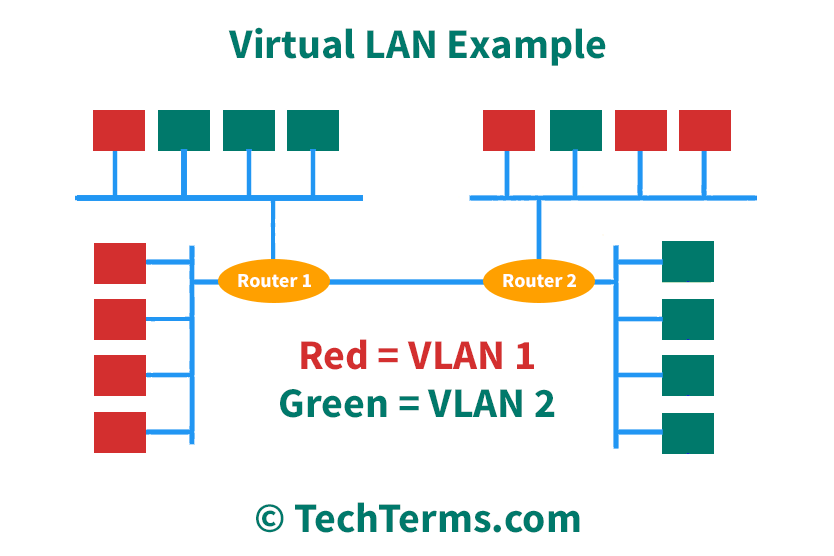
A VLAN is a custom network created from one or more existing local area networks (LANs). It enables groups of devices from multiple networks both (wired and wireless) to be combined into a single logical network. The result is a virtual LAN that can be administered like a physical network.
To create a VLAN, a network administrator must configure the virtual network using a software admin tool. This software allows the administrator to assign individual ports or groups of ports on a switch to a specific VLAN. For example, the admin can assign ports 1-12 on switch #1 and ports 13-24 on switch #2 to the same VLAN.
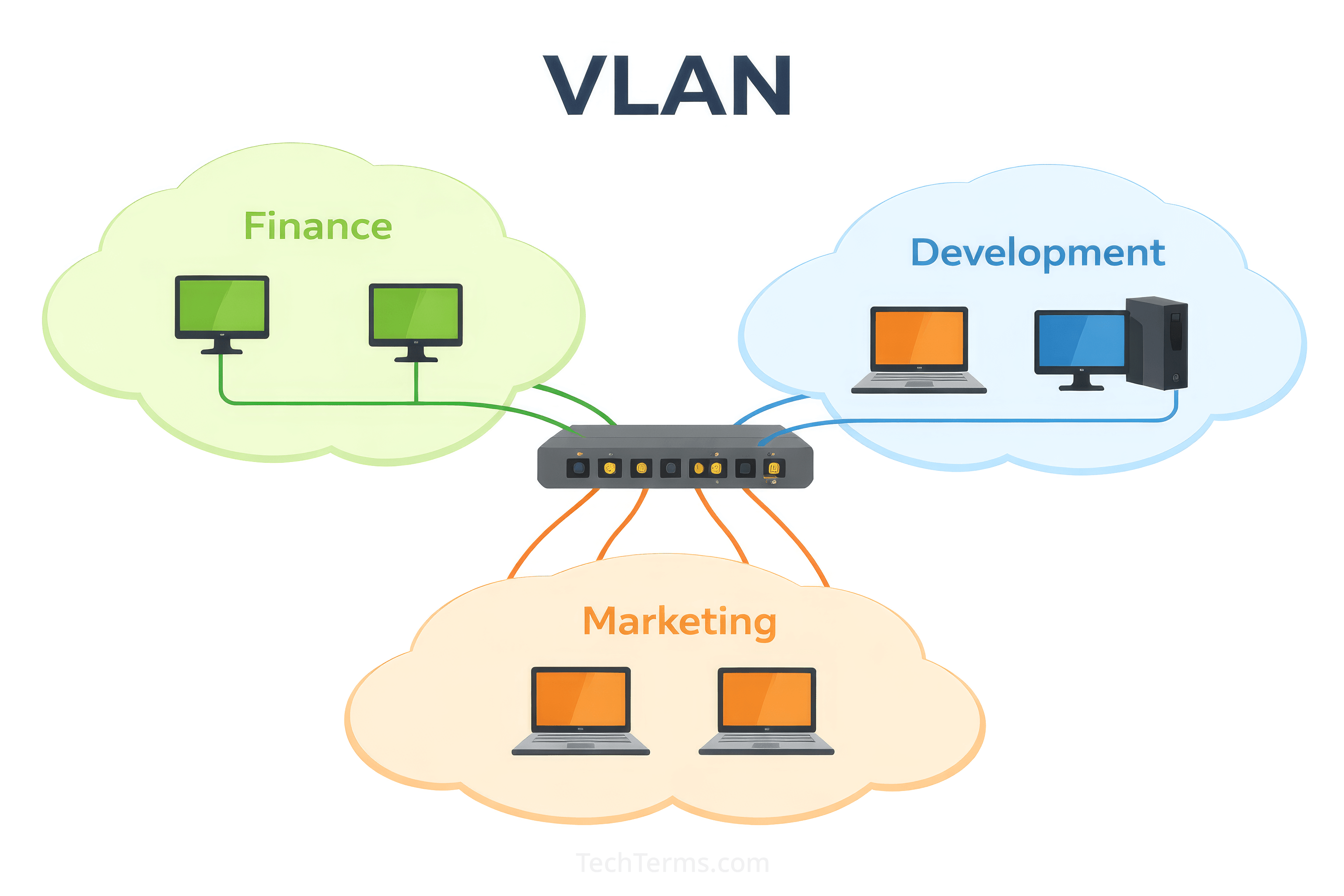
Say a company has three divisions within a single building — finance, marketing, and development (as shown above). Even if these groups are spread across several locations, VLANs can be configured for each one. For instance, each member of the finance team could be assigned to the "finance" network, which would not be accessible by the marketing or development teams. This type of configuration limits unnecessary access to confidential information and provides added security within a local area network.
VLAN Protocols
Since traffic from multiple VLANs may travel over the same physical network, the data must be mapped to a specific network. This is done using a VLAN protocol, such as IEEE 802.1Q, Cisco's ISL, or 3Com's VLT. Most modern VLANs use the IEEE 802.1Q protocol, which inserts an additional header or "tag" into each Ethernet frame. This tag identifies the VLAN to which the sending device belongs, preventing data from being routed to systems outside the virtual network. Data is sent between switches via a physical link called a "trunk" that connects them. Trunking must be enabled in order for one switch to pass VLAN information to another.
The 802.1Q standard uses a 12-bit identifier (VID). Since 212 = 4,096 and 0 and 4,095 are reserved IDs, a single network may contain up to 4,094 VLANs. However, most practical applications require fewer than a dozen virtual networks.
NOTE: Wireless devices can be included in a VLAN, but they must be routed through a wireless router that is connected via Ethernet to the LAN.
 Test Your Knowledge