
DPI

Stands for "Dots Per Inch." DPI is a measurement of print resolution that describes how many individual ink dots a printer can place within one inch of paper. The higher the DPI, the more detail and sharpness of a printed image.

For example, a 600 DPI printer can print 600 dots horizontally and 600 dots vertically within a single inch — a total of 360,000 dots per square inch (600 x 600). Modern printers may support 1200 DPI or more, producing smoother gradients and finer detail.
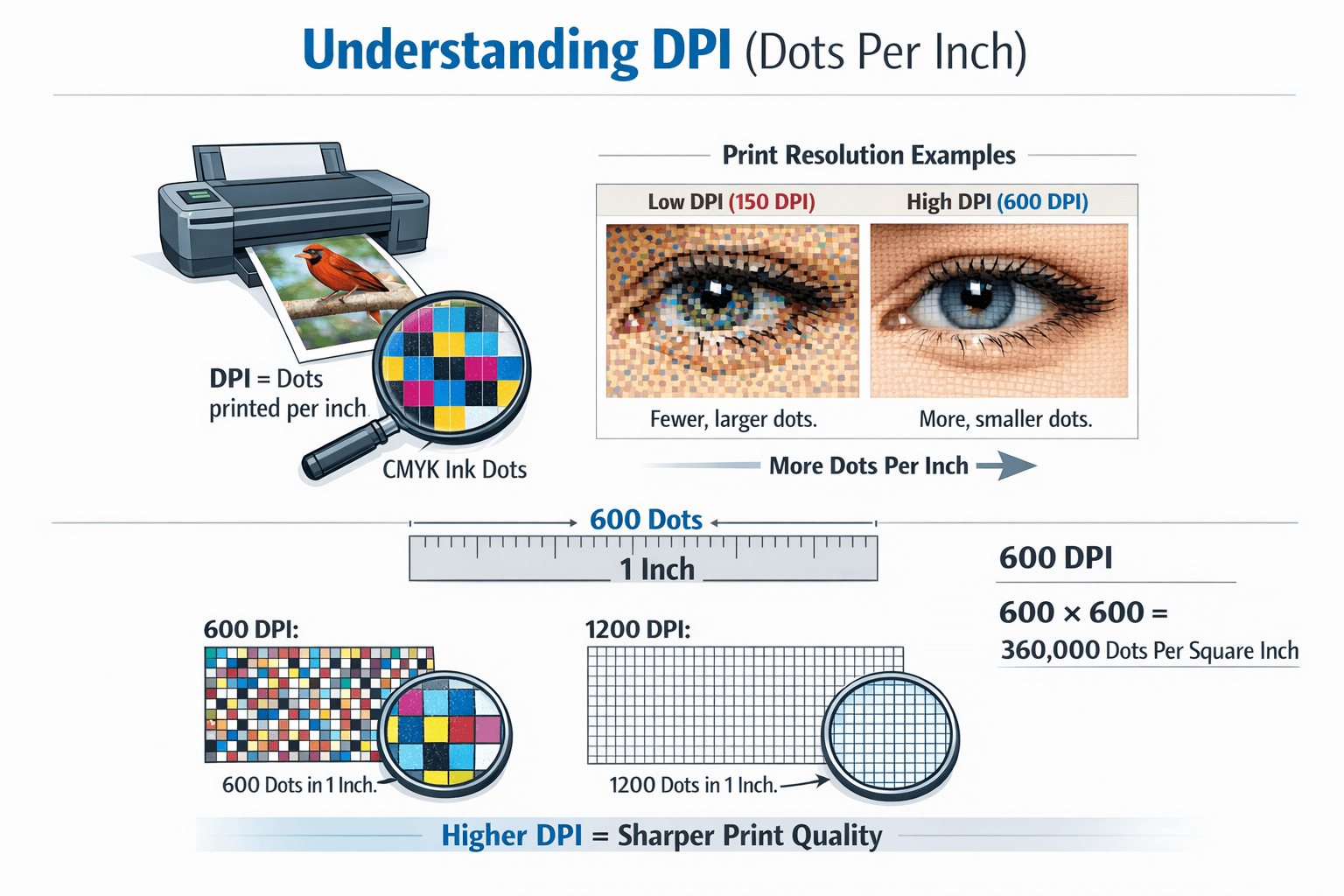
DPI affects the quality of printed photos, graphics, and text. Professional-quality printing typically uses images prepared at 300 pixels per inch (PPI) to ensure sharp results on paper.

NOTE: It is important to understand that DPI refers specifically to printed dots — not screen pixels (PPI). While the terms are often used interchangeably in casual conversation, DPI technically measures printer output, not display resolution.

Updated February 26, 2026 by Per C.

quizTest Your Knowledge

A collection of digital data is stored in a single entity called a ____?

A
Box
0%
B
Bowl
0%
C
Frame
0%
D
File
0%
Correct! Incorrect!     View the File definition.
More Quizzes →

The Tech Terms Computer Dictionary

The definition of DPI on this page is an original definition written by the authors of TechTerms.com. If you would like to reference this page or cite this definition, please use the green citation bar directly below the definition.

Our goal is to explain computer terminology in a way that is easy to understand. We strive for accuracy and simplicity with every definition we publish. If you have feedback about this definition or would like to suggest a new technical term, please contact us.

The Tech Terms Newsletter

Improve your technical knowledge with our daily or weekly newsletter! Subscribe today and get new terms and quizzes delivered to your inbox.

Sign up for the free TechTerms Newsletter

How often would you like to receive an email?

You can unsubscribe or change your frequency setting at any time using the links available in each email.

Questions? Please contact us.